
Introduction
A Tarkov Carry Service for quest runs offers a way to get help completing specific missions in Escape From Tarkov without spending extra hours figuring out each step on your own. With a carry helper, you join a guided session in which a more experienced player takes the lead on a map you choose, focusing on the objectives you need. Instead of planning routes, hunting for key items, and checking extraction points by yourself, you follow clear, real-time directions that cover everything from item pickups to enemy encounters. This kind of service helps you finish quest tasks faster and with less guesswork, so you can move on to the next set of missions and unlock new vendors or map areas.
Using a carry helper for quest runs can be especially useful when you face missions that require finding rare loot, reaching hard-to-access locations, or dealing with well-armed AI opponents. Rather than running multiple raids and hoping you trigger the right spawn, you work alongside a teammate who already knows the best paths and tactics. That lets you spend more time focusing on learning high-level gameplay, like advanced weapon handling or map positioning, instead of repeating low-yield runs. It also means you can save gear and resources by avoiding failed attempts that cost you valuable equipment and time. Overall, a Tarkov Carry Service for quests turns a slow, trial-and-error process into a streamlined mission run, getting you the quest completion and rewards you need without setup stress.
By the end of this guide, you will know how to pick the right carry helper for your quest list, match service features to your style, and prepare your account to get the most out of each run. Whether you have a long chain of tasks to clear or just a few stubborn missions blocking your path, using a carry service for quest runs can speed up your progression and let you enjoy higher-tier raids sooner. Follow these steps to set clear goals, compare offerings, and get ready to jump into action with a reliable helper at your side.
Know Your Quest Goals
Before you reach out for a carry helper, it helps to list exactly which missions you need to finish. Tarkov offers dozens of quests ranging from simple “find-and-extract” tasks to multi–step chains that send you across several maps. Start by opening your in-game quest log and noting the exact names and requirements of each mission you want help with. For example, you might need to “Locate and Extract with Keycards” or “Eliminate 20 Scavs on Shoreline.” Write down key details like the map names, item lists, and any kill counts or extraction conditions. Having this clear list makes it easier to tell your helper exactly what to focus on during the run.
Once you have your quest list, rank them by priority. Some missions unlock further tasks or vendor discounts, so finishing those early can open up new options. Others simply give you useful loot or key items for future runs. Decide whether you want to tackle a chain of related quests or clear individual objectives one at a time. If you choose a chain, note the order of missions so your helper can hit them in sequence. If you work on single tasks, group similar ones—like all fetch missions on the same map—so the helper can complete them together. Organizing your goals reduces downtime between runs and ensures each session with your carry helper focuses on the objectives you value most.
With your quest targets clearly defined and prioritized, you can move on to comparing service features that match what you need. Instead of explaining each mission on the fly, you present your helper with a concise list and let them plan the optimal route. This preparation step saves time, cuts out confusion, and makes every run count toward your overall progress in Escape From Tarkov.
Compare Service Features
When you look at different Tarkov Carry Service options, focus on features that make quest runs faster and smoother. First, check which maps each helper covers. Some helpers specialize in high-level maps like Reserve or Labs, while others excel on mid-tier maps like Shoreline or Woods. Match the service to the maps where your quests are located. If you have multiple quests on one map, a helper familiar with that map can hit all your objectives in a single run.
Next, consider the communication style offered. Some services provide full voice chat guidance, walking you through each step in real time. Others use a text overlay or quick chat commands to guide you. If you prefer clear, spoken instructions and back-and-forth feedback, voice chat is ideal. If you like minimal distraction or have a slower internet connection, text guidance may suit you better.
Finally, look at session length and run options. Services often let you book a single run, a block of runs, or a package that covers a set number of quests. Single runs are good for one-off tasks, while package deals let you clear a chain of missions without rebooking each time. Also check whether you can schedule back-to-back sessions or need to wait between runs. A helper who offers flexible timing and multiple run blocks lets you push through several quests in one sitting, cutting overall time spent in menus and prep.
By comparing map expertise, communication style, and session options, you ensure you pick a carry service that fits your quest list and play style. With these features lined up, you’re ready to prepare your account and start running missions with a skilled helper by your side.
Match Skill Levels
Picking the right helper means matching their experience to your quest difficulty. Helpers who list “novice” or “beginner” on their profiles usually focus on early-game tasks, like simple item pickups or low-level elimination quests. They know how to speed you through basic runs on maps such as Customs or Factory. If your quests involve mid-tier tasks—finding special items in Woods or clearing Scavs in Shoreline—you’ll want an “intermediate” helper who has logged dozens of runs on those maps and knows spawn points, extraction routes, and timing. For late-game or high-level tasks, choose an “expert” helper. These players handle multi-step chains, boss fights on Reserve or Labs, and tricky item hunts that require precise timing or gear. A helper’s claimed level count can serve as a quick guide: helpers who clear 50+ quests typically have the insight needed for complex runs.
Below is a table showing how to line up helper skill level with quest tiers and examples of quests they handle best:
| Helper Skill Level | Quest Tier | Example Quests |
|---|---|---|
| Novice | Early (1 – 10) | “Collect 5 LEDX in Factory,” “Kill 10 Scavs on Customs” |
| Intermediate | Mid (11 – 20) | “Secure 4 Flash Drives on Shoreline,” “Eliminate 15 Raiders in Woods” |
| Expert | Late (21+) | “Beat the Cultist Boss on Reserve,” “Extract with Intel Case in Labs” |
Use this table to guide your choice: if your list has simple fetch or basic elimination missions, a novice or intermediate helper will work. For multi-part chains or boss kills, an expert is best. Confirm the helper’s completed-quest count or profile notes before booking. Picking a helper with the right skill level saves time, cuts frustration, and makes sure each run focuses on your current needs, instead of your helper spending the session learning on the job.
Assess Communication Style
Clear, real-time guidance is key during a carry run. Some helpers use voice chat to give step-by-step instructions: “Head to container near the rock,” or “Hold here until I clear the exit.” Others rely on text overlays or quick chat commands, marking points on your map or sending brief messages like “Extract now.” The right style depends on your preferences and setup. If you work best following spoken commands while you keep your eyes on the action, choose a helper who offers voice chat. If you find voice chat distracting or your internet connection struggles with live audio, a text-based system might suit you better.
Consider these common communication options and pick the one that feels most natural:
- Voice Chat Guidance: Real-time spoken instructions, ideal for fast response and questions on the fly.
- Text Overlay or In-Game Chat: Written directions appear on-screen or in the chat box. Good for players who prefer to read at their own pace.
- Map Markers: Helpers place waypoints directly on your map, guiding you visually to objectives and extraction points.
- Quick Commands: Pre-set phrases like “Wait,” “Follow,” or “Go Now.” These take less bandwidth and work on most connections.
- Briefing and Debriefing: A short overview before the run and a summary after, covering key notes and tips.
Review each helper’s offered communication methods before you book. If you need back-and-forth feedback or want to ask questions mid-raid, voice chat is best. If you prefer minimal noise or need a clear, written plan, text overlays or map markers will help. Clear communication keeps you on track and avoids wasted time or wrong turns on the map.
Check Availability and Timing
Your helper’s schedule should match yours so you don’t lose momentum between runs. Many services let you book single runs or blocks of multiple sessions. Check whether the helper works in your time zone and has open slots when you play. If you only have evening hours free, choose a helper who offers runs during those times. Also, note how long each quest run usually takes. Short quests on Factory might finish in 10–15 minutes, while a multi-part chain involving extraction on Reserve can take 45 minutes or more. Booking back-to-back sessions helps you clear multiple quests without waiting days between bookings.
When reviewing availability, keep these points in mind:
- Time Zone Match: Ensure the helper’s listed hours overlap with your play schedule.
- Run Duration: Look for estimated times per run—some helpers list “20–30 minutes per quest,” others give a flat “one-hour session.”
- Booking Flexibility: Check if you can reschedule or add extra runs on short notice.
- Session Blocks: Consider packages that cover multiple runs in one booking to save setup time.
- Lead Time: Some high-demand helpers require 24–48 hours notice; others accept last-minute requests.
By aligning availability and timing, you avoid gaps that slow your quest progress. Booking sessions when you’re ready to play keeps runs efficient and helps you finish your mission list faster. Always confirm the helper’s start time in advance so your account is set up and you can log in exactly when the run begins.
Prepare Your Account
Getting your account ready reduces delays and errors when the helper arrives. Start by clearing your stash of old or unused items so new gear and supplies fit without auto-deletion. Next, finish or cancel any quests that overlap with your target missions; this prevents the helper from wasting time on resets or partial progress. Open two or three loadout slots in your gear menu—this is where you’ll receive any helper-provided weapons or armor if you chose a mixed session that includes gear.
Also, set your preferred extraction point in the game settings. If your quest ends with a specific exit, picking that ahead of time saves precious minutes. Finally, consider logging into offline mode for a quick test. In offline mode, you can redeem a dummy code or ask the helper to trigger a simple level run to confirm communication and pathing without risking live-server lag. Once you see that everything syncs—stash space, loadout slots, extraction point—you’re ready to switch back to live mode and start the real run.
- Clear stash of old items
- Cancel or finish overlapping quests
- Open extra loadout slots
- Set preferred extraction point
- Test setup in offline mode
With these steps done, you avoid full stashes, mission conflicts, and misrouted extractions, so the helper can dive straight into completing your quests.
Run the Quest with Your Helper
When the session begins, share your quest list and any special notes one more time. Confirm the map name, game mode (PMC or Scav), and extraction point. If you need to wear specific armor or carry certain items, equip them before the helper lands you in the raid. As soon as you load in, follow the helper’s lead: stick close, watch for waypoint markers or map pings, and listen or read each instruction. If you need a moment to adjust gear or check your objectives, send a quick message—most helpers pause briefly when asked.
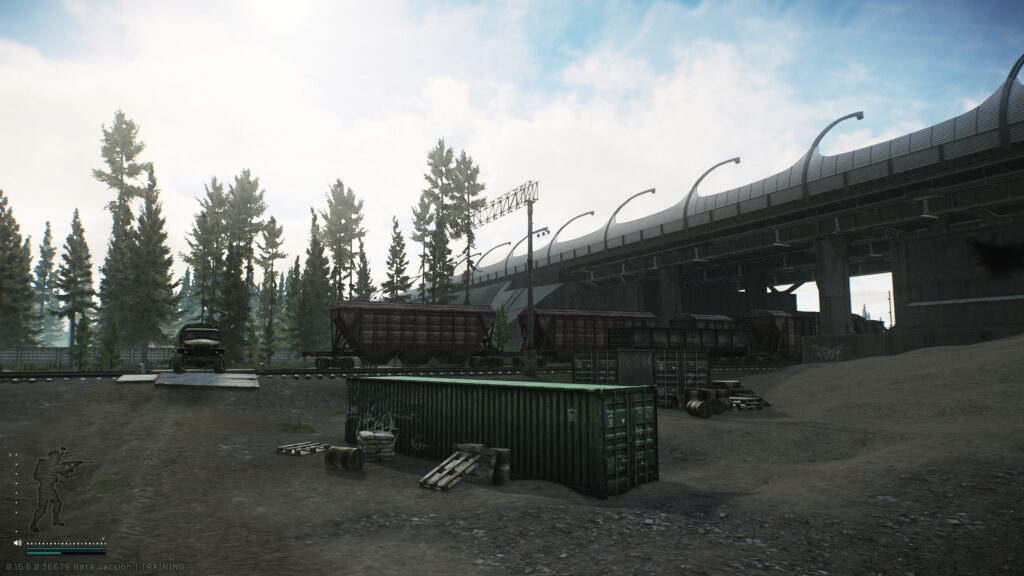
Stay focused on your role: if the helper leads the route, you provide overwatch or secure angles. If they ask you to cover an exit, keep your sights trained on that corridor. Use any shortcuts or paths they suggest, even if they seem unfamiliar. Helpers know the fastest routes between spawn, loot areas, and extraction. If they call out an item drop, swap your inventory quickly, then confirm you have it by name. Clear communication back and forth keeps the run smooth.
- Confirm map and game mode at start
- Equip required gear before loading in
- Follow waypoints and voice/text calls
- Ask for brief pauses if needed
- Keep in-game chat visible for quick replies
By working as a team and staying in sync, you complete objectives faster and build trust in the helper’s methods.
Review Performance and Plan Next Steps
Once the quest run ends and you extract, take time to review what happened. Open your quest log to confirm the mission shows as “Completed.” Check your inventory or stash for any reward items. If you gained trader reputation or item unlocks, note them for future runs. Then, ask the helper for any final tips: perhaps they found a faster extraction route you can try solo next time, or they have advice on handling enemy patrols.
Keep a running list of these notes in a simple text file or notepad. After a few runs, you’ll see patterns—certain routes that work best, gear setups that hold up, and callouts that help you respond quickly. Use this list to refine your own play style. Once you feel confident, you can book a longer session to handle multiple quests in one go, or switch to tackling the next batch of missions on your own. If you decide on another carry run, choose quests that build on what you’ve learned, grouping them by map or difficulty level for maximum efficiency.
By reviewing each session and planning your next steps, you turn carry help into a learning tool. You finish key quests faster, gain useful tips, and gradually reduce reliance on helpers—so you can run challenging missions solo with the skills and confidence you need.